React Compiler Marker: Visualizing Optimizations in VSCode/Cursor
@blazejkustra_|October 5, 2025 (1 yr ago)
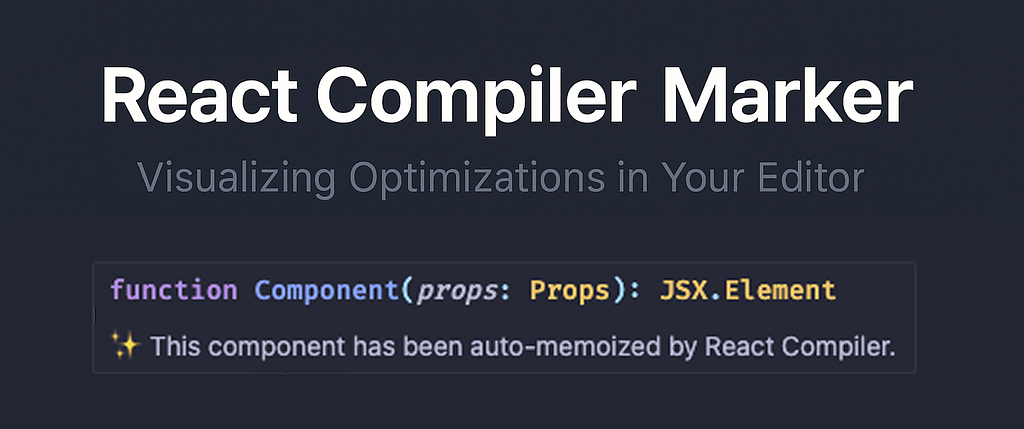
When you adopt React Compiler (the compile-time optimizer that transforms React code into faster, memoized output), a remaining challenge is observability: how do you know which components got optimized, and which didn’t… and why? That’s exactly where react-compiler-marker shines.
🧩 What It Does
At its core, react-compiler-marker is just a VS Code/Cursor extension that adds visual markers (✨ or 🚫) directly in your editor next to React components. These markers tell you:
- ✅ Component was successfully optimized by the React Compiler
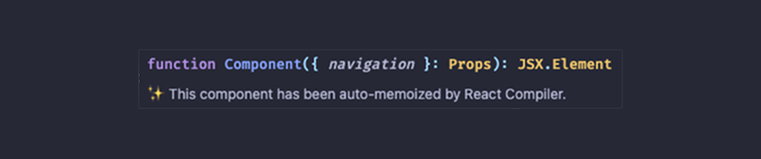
Optimized component
- ❌ Component failed optimization, along with the cause
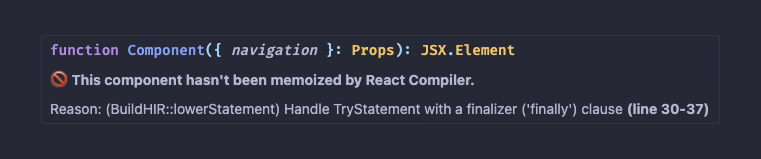
Not optimized 😢
Why It Matters
React performance tuning often feels like black magic: you optimize, run benchmarks, inspect bundles, hope for better results. With react-compiler-marker, you get immediate feedback in your editor as you code , no need to waste time in react devtools.
It helps you:
- Spot where the compiler misses optimization (e.g. due to closures, references or not following the Rules of React)
- Learn from failures by reading hover tooltips explaining why a component wasn’t optimized
- Iteratively refactor immediately — change code, see the marker shift from “🚫” to “✅”!
⚙️ How To Install React Compiler?
Most frameworks like Next.js (14.2+) or Expo SDK 52+ already ship with React Compiler built-in . You just need to enable it in your config. For example, in Next.js:
// next.config.js
module.exports = {
  experimental: {
    reactCompiler: true,
  },
};
If you’re not using a framework, you can add it via Babel:
npm install -D babel-plugin-react-compiler@rc
// babel.config.json
plugins: [
  'babel-plugin-react-compiler', // must run first!
  // ... other plugins
],
Once that’s in place, react-compiler-marker can start showing you which components are optimized ✨ and which are 🚫.
If you find it useful, consider giving the project a ⭐ on GitHub!
Originally published on Medium