React Native Alert: Cross-Platform Alerts & Prompts That Just Work
@blazejkustra_|October 5, 2025 (1 yr ago)
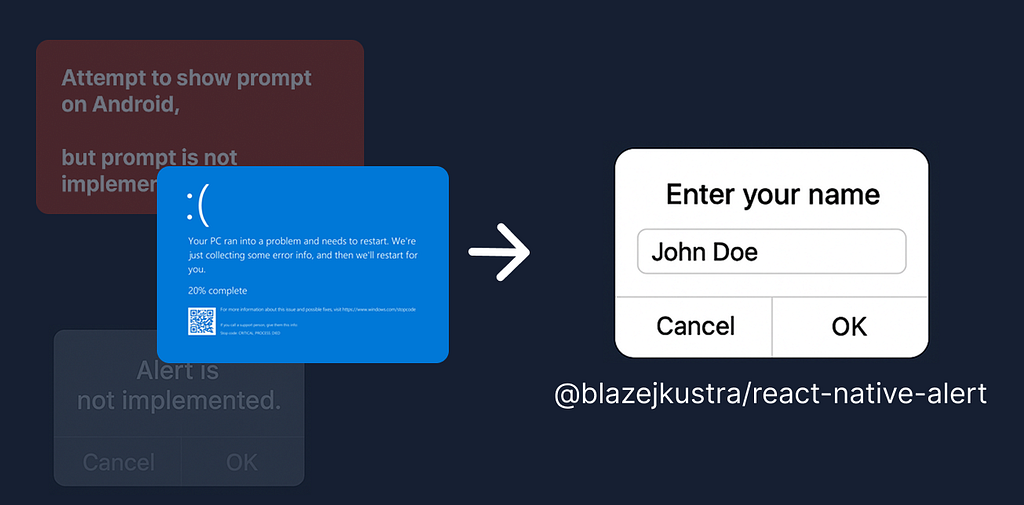
Every React Native developer has hit this at some point: React Native API’s interface differ between platforms and it’s a mess to work with.
The Alert module is a great example:
- On iOS, both alerts and prompts are supported.
- On Android, only basic alerts exist and prompts are missing.
- On Web, Alert isn’t implemented at all — issue
That’s why I built @blazejkustra/react-native-alert! A drop-in replacement for React Native’s Alert API that works everywhere, with alerts + prompts fully supported on iOS, Android, and Web.
✨ Features
- 🔄 Same API as React Native Alert: no learning curve.
- 🌍 Cross-platform: one call, consistent behavior.
- 📝 Prompts supported: including text input on all platforms.
- 🎨 Themeable on Web: customize with CSS to match your design system.
- ♿ Accessible — keyboard and screen reader friendly out of the box.
- ⚡ No native setup — install, import, use.
🛠 Installation
npm install @blazejkustra/react-native-alert
That’s it. No extra linking or config needed, just rebuild your app.
🚀 Usage
import Alert from '@blazejkustra/react-native-alert';

Alert.alert('Hello!', 'This is a cross-platform alert.');

Alert.alert(
  'Confirm',
  'Do you want to continue?',
  [
    { text: 'Cancel', style: 'cancel' },
    { text: 'OK', style: 'default' },
  ]
);

Alert.prompt(
  'Enter your name',
  'Please type your name below:',
  [
    { text: 'Cancel', style: 'cancel' },
    { text: 'OK', onPress: (value) => console.log('Name:', value) },
  ],
  'plain-text',
  'John Doe'
);
Works the same as the built-in Alert, but now you also get prompts on web + consistent UX across platforms.
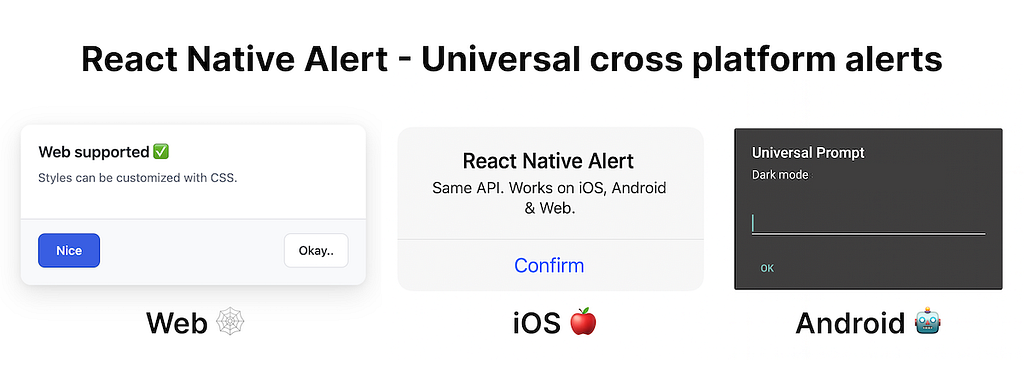
Alerts on all three platforms
🎨 Styling on Web
The Web version uses the native <dialog> element under the hood and exposes CSS variables for customization:
:root {
  --rn-alert-accent: #059669;   /* Primary button */
  --rn-alert-danger: #dc2626;   /* Destructive button */
  --rn-alert-bg: #fefefe;       /* Dialog background */
  --rn-alert-fg: #111827;       /* Text color */
  --rn-alert-radius: 16px;      /* Border radius */
}
This makes it trivial to integrate with your own design system.
🧩 Why I Built It
I wanted one alert API that “just works” in React Native + Expo + Web. The built-in Alert left gaps, and other solutions were non-existant or not maintained.
Try It Out for youself!
The library is open source and available 👉 github.com/blazejkustra/react-native-alert
If you find it useful, consider giving the project a ⭐ on GitHub !
Originally published on Medium